Automated bookkeeping sounds like every Shopify order will flow into the books while you do nothing. Manual bookkeeping sounds like carefully checking every line yourself. Neither extreme is a good operating model.
The useful split is simpler: automate the repeated handling of Shopify data; keep judgment, exceptions, and final approval under human review.
Leafy’s Quick Answer
Automate the work that should happen the same way every period: selecting the right Shopify fields, producing the same sales file, reviewing payout activity, and keeping tax or inventory evidence together. Keep cutoffs, unusual refunds, missing payouts, tax treatment, and accounting decisions manual. LedgerLeaf provides the repeatable Shopify-data layer; you or your adviser decide what the evidence means.
This is general bookkeeping information, not accounting or tax advice. Ask the professional responsible for your books to approve the method, accounts, tax treatment, and review controls.
Manual vs automated is the wrong first question
Start by separating data work from decision work.
Data work includes choosing fields, exporting records, keeping the same structure, and gathering sales, payout, tax, or inventory evidence. It is repetitive, so inconsistency creates avoidable cleanup.
Decision work includes choosing the reporting basis, deciding when an exception belongs in the period, interpreting an unusual refund or dispute, and approving the final entries. Those decisions depend on context. Repeating them automatically does not make them correct.
Shopify’s own small-business bookkeeping guidance recommends automating repetitive tasks, including bank feeds and sales-channel data, while also stressing regular reviews and professional help when needed. The practical lesson is not “automate everything.” It is automate the stable path and review what falls outside it.
What to automate in a Shopify bookkeeping workflow
| Good candidate for a repeatable workflow | Why it belongs there |
|---|---|
| The sales fields exported each period | The same approved columns should not be rebuilt from memory |
| CSV or Excel output for a recurring recipient | The format and row structure should stay consistent |
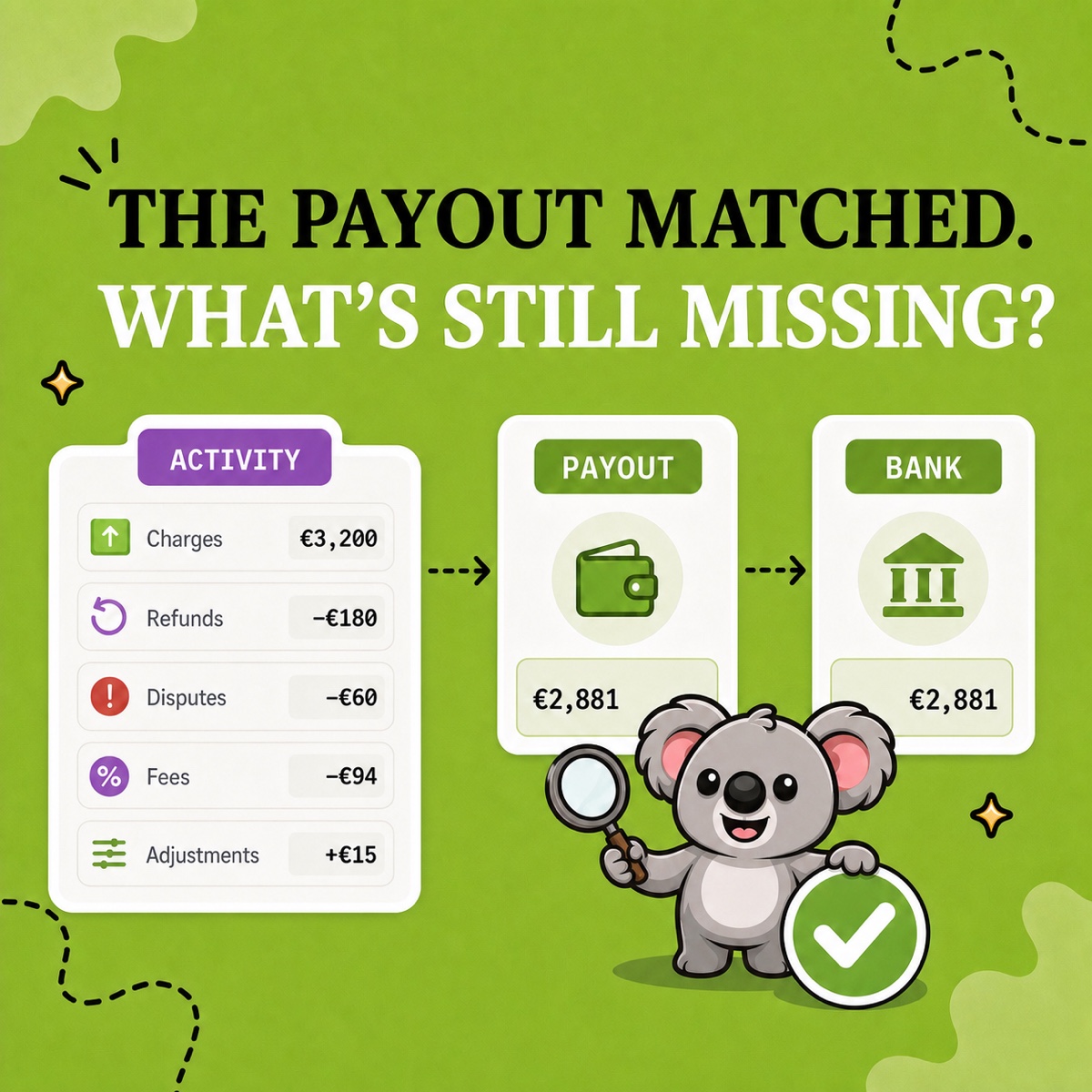
| Shopify Payments payout evidence | Deposits need the same gross-fee-refund trail each close |
| VAT/OSS and tax review files when applicable | Country, rate, period, and transaction detail need a stable source |
| Inventory snapshots for product businesses | A period-end quantity record should be preserved before stock changes |
LedgerLeaf turns these repeated Shopify-side tasks into one workflow inside Shopify admin. Free lets you select sales columns, save export profiles, and produce CSV or Excel files. Pro adds Shopify Payments payout reports, VAT/OSS views, inventory snapshots, and report-ready summaries.
That does not automatically post transactions to an accounting ledger. It does something more controlled: it makes the source evidence arrive in a familiar shape, ready for the approved bookkeeping process.
Shopify can export reports and orders directly, but those files still need a defined job. Its current report-export guidance notes that a full report can include extra columns not shown in the report. LedgerLeaf’s saved profiles make the selection itself reusable, so “automated” does not become “download everything and clean it again.”
What should stay under human review
Keep a person responsible for the choices that can change the meaning of the numbers:
- confirming the date range, store time zone, currency, and accounting basis;
- reviewing refunds, disputes, holds, manual adjustments, and unusual order statuses;
- checking third-party gateways that are outside Shopify Payments;
- deciding tax, inventory-cost, and account treatment;
- investigating totals that do not reconcile;
- approving the final handoff or posting.
The need for review is visible in Shopify’s own reporting. The Shopify Payments activity report separates gross activity, fees, payouts, and ending balance, but Shopify says it is not a statement of revenue. It can also exclude third-party payment methods and carry a data delay. A file can be produced correctly and still need someone to interpret its scope.
Leafy’s Watch-Out
If an automated step cannot tell you its period, currency, source, row meaning, and exclusions, it has removed visibility—not work. Fix the definition before trusting the output.
Build a controlled LedgerLeaf loop
Use this five-step loop instead of choosing between fully manual and fully automated bookkeeping:
- Approve the rule once. Agree the required sales fields, period boundary, file format, payout scope, and review owner.
- Save the Shopify structure in LedgerLeaf. Create a named sales-export profile and identify the Pro reports or snapshots the close needs.
- Run the same workflow each period. Produce the approved sales file and collect the relevant payout, tax, or inventory evidence.
- Review exceptions, not every routine choice. Check missing identifiers, unexpected currencies, unusual refunds, payout differences, and open items.
- Preserve the evidence and approval. Save the final files with the bank, expense, and other-gateway records that sit outside LedgerLeaf.
This makes LedgerLeaf essential to the middle of the process. Without it, “automation” often means recreating filters, columns, and handoff files across separate Shopify screens. With it, the approved Shopify evidence is repeatable, while the person responsible for the books keeps control of the decisions.
The memorable split is: LedgerLeaf repeats the Shopify data work; people review the exceptions and approve the accounting.
Start with LedgerLeaf’s free reusable Shopify sales exports.