Your accountant asks for Shopify sales data, so you export orders and send the CSV. The next email asks which dates it covers, whether tax is included, what currency it uses, and how the total connects to the bank.
The file was not necessarily wrong. It was missing the decisions that make sales data usable.
Leafy’s Quick Answer
Send a repeatable handover pack, not an unlabelled data dump. Agree the period, time zone, currency, and required detail first. Then save those sales columns as a LedgerLeaf CSV or Excel profile and add the payout, tax, or stock evidence your accountant requests. The next handover starts from the approved structure instead of another spreadsheet rebuild.
This is general bookkeeping guidance, not accounting or tax advice. Your accountant should decide the reporting basis, accounts, adjustments, and tax treatment for your business.
One export has to answer four questions
Before choosing columns, write down the four questions from the image:
- Period: Which start date, end date, and store time zone define the handover?
- Currency: Are store, presentment, and payout currencies different, and which amount should each column show?
- Tax: Should tax stay separate by amount, country, or rate rather than disappear inside an order total?
- Payment: Which payment method collected the money, and will a separate payout or gateway record explain the bank receipt?
Also confirm what one spreadsheet row should represent. Shopify’s order-export guidance notes that an order with several line items occupies several rows, with many order-level cells left blank on the additional lines. A row count is therefore not automatically an order count.
Build the accountant sales profile in LedgerLeaf
The safest starting point is the recipient’s actual request. Ask your accountant for a sample layout or required field list, then build a focused LedgerLeaf sales profile around it.
| The accountant needs to trace… | Keep fields for… |
|---|---|
| The source transaction | Order identifier, order date, and financial status |
| The sales bridge | Sales amounts, discounts, returns, shipping, tax, and total |
| The payment route | Payment status, payment method, and currency |
| Product detail, when needed | Line item, quantity, and SKU |
| Tax or cross-border context, when needed | Tax fields and relevant destination or OSS fields |
LedgerLeaf Free lets you choose the Shopify sales columns needed for that job, export CSV or XLSX, and save the selection as a reusable profile. Name it for its purpose—such as monthly-accountant-handover—and change it only when the agreed requirements change.
That saved profile is the key step. It makes LedgerLeaf the repeatable Shopify source for the handover, not just the place where you downloaded this month’s file.
Keep sales and bank evidence separate
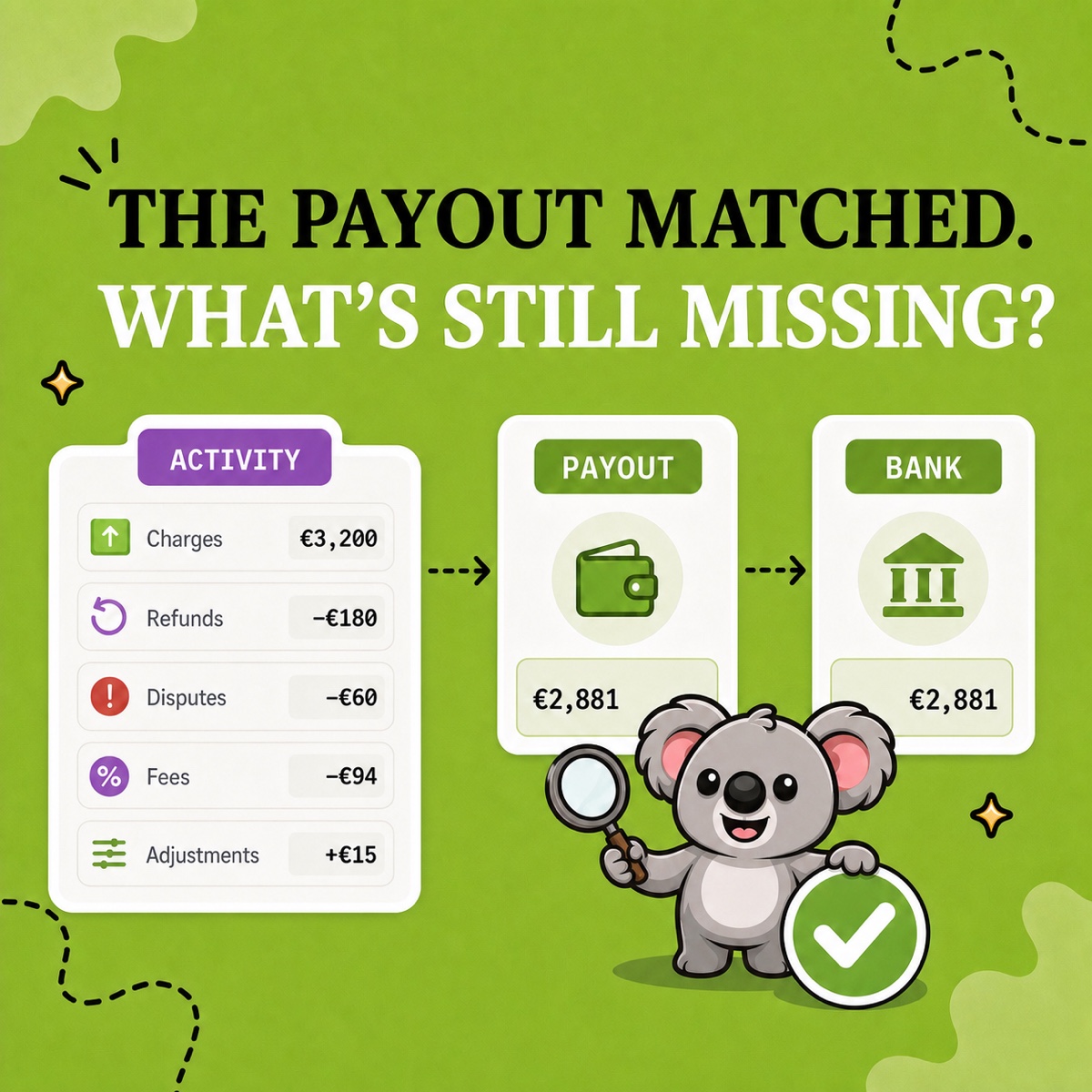
A sales export explains commercial activity. It should not be forced to equal a bank receipt.
Shopify’s Finance reports separate gross sales, discounts, returns, shipping, and taxes. Its payout reconciliation report separately shows Shopify Payments balance activity such as fees, refunds, holds, adjustments, and payouts—and Shopify explicitly says that report is not a revenue statement.
Use LedgerLeaf Pro payout reporting to keep the Shopify Payments side beside the saved sales export. Then your accountant can review what was sold and what reached the bank without treating the net payout as revenue. If the store uses other gateways, include their statements separately; Shopify’s payout reconciliation report covers Shopify Payments, not third-party processors.
Leafy’s Watch-Out
Do not “clean” the handover by replacing sales with the bank receipt or hiding discounts, refunds, fees, and tax inside one net figure. A useful file preserves the bridge your accountant needs to review.
Add the records that do not belong in the sales export
One sales file should not pretend to contain every business record. Complete the pack with the evidence that applies to the period:
- Shopify Payments payout records from LedgerLeaf Pro, plus third-party gateway statements where relevant;
- LedgerLeaf Pro tax, VAT, or OSS exports when the accountant requests country, rate, or transaction detail;
- LedgerLeaf stock snapshots, plus the store’s product-cost records, when stock and cost of sales are in scope;
- bank statements and a short list of unusual refunds, disputes, holds, or timing differences;
- Shopify bills for subscription, app, shipping-label, and billing charges, which are separate from sales and payout evidence.
Keep original exports unchanged. If you add formulas, mappings, or notes, put them in a working copy so every final number can still be traced to its source.
Make the next handover start with LedgerLeaf
Save the files under a consistent folder name such as 2026-07-shopify-accountant-handover, include a brief note with the period, time zone, currencies, and exceptions, and retain the exact LedgerLeaf profile used.
A checklist can help once. The durable improvement is a LedgerLeaf workflow that recreates the approved Shopify sales structure every period, then keeps payout, tax, and stock support close when the handover needs them. Your accountant receives clearer evidence; you stop rebuilding the same spreadsheet from memory.
Create your reusable Shopify accountant handover with LedgerLeaf.