Your first e-commerce sale looks like one event. The bookkeeping trail is already several: the order, the customer payment, the later bank deposit, the fee, the tax, and—if you sell physical goods—the stock that left the shelf.
Save only the deposit and those details disappear. Start with four clear records instead, and the work becomes much easier to repeat.
Leafy’s Quick Answer
Build your beginner e-commerce bookkeeping around sales, payouts, expenses and stock. LedgerLeaf keeps the Shopify side of that pack repeatable: customisable sales exports on Free, then payout reports and inventory snapshots on Pro. Keep supplier invoices, receipts, bank statements, and records from other channels beside it. Reconcile the sources; do not treat the bank deposit as sales.
This is general bookkeeping guidance, not accounting or tax advice. Your method, accounts, filing duties, and record-retention rules depend on the business and jurisdiction; confirm them with the appropriate professional.
Why the bank deposit is a poor starting point
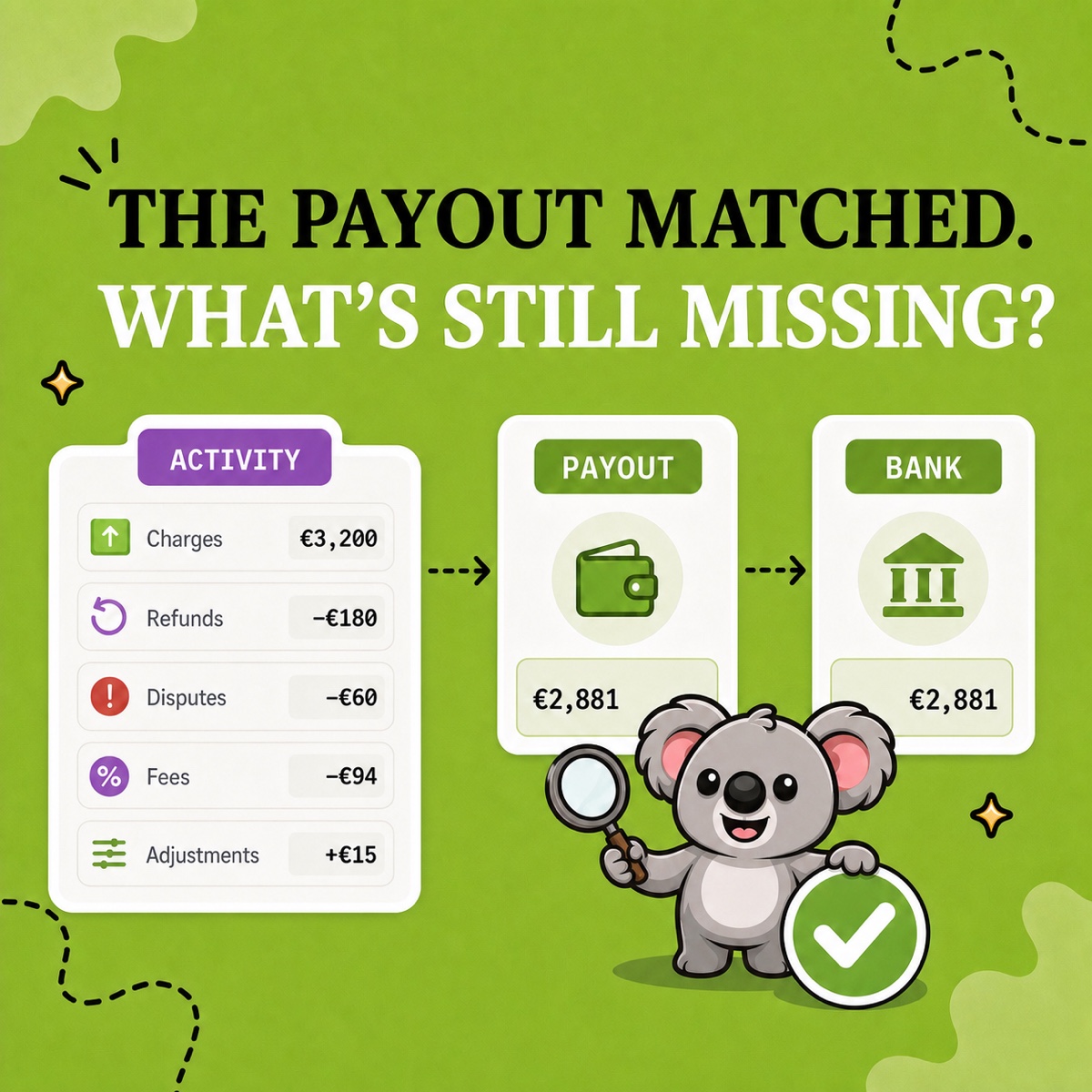
A net deposit answers one narrow question: how much cash arrived. It does not show gross sales, discounts, returns, delivery charged, tax, processing fees or money still waiting for payout.
Shopify’s Finance reports separate sales and payment activity. Its payout reconciliation report separately explains how transactions, fees, holds, adjustments, and payouts moved through Shopify Payments—and explicitly says that the report is not a revenue statement.
That distinction is the first useful bookkeeping habit: record what was sold before explaining how the cash arrived. LedgerLeaf makes the Shopify source for that habit reusable instead of leaving you to rebuild it from a bank feed each month.
Start with four records
You do not need a complicated finance system to create a clean first-month handoff. You need four evidence streams with clear jobs:
| Record | What it should answer | Beginner source |
|---|---|---|
| Sales | What was sold, discounted, returned, shipped, and taxed? | A saved LedgerLeaf Free CSV or Excel sales profile |
| Payouts | How did captured payments, refunds, fees, and timing become bank deposits? | LedgerLeaf Pro payout reporting for Shopify Payments; separate statements for other gateways |
| Expenses | What did the business pay for? | Supplier invoices, receipts, Shopify bills, cards and bank records kept outside LedgerLeaf |
| Stock | What was bought, sold, returned, damaged, or still held? | LedgerLeaf Pro inventory snapshots plus supplier-cost and physical-count records |
The sources remain separate because they prove different things. LedgerLeaf does not replace your accounting process or expense records; it gives that process cleaner, repeatable Shopify evidence to work from.
Make the sales file your LedgerLeaf starting point
Begin with the record you will recreate most often. In LedgerLeaf Free, choose only the Shopify sales columns your bookkeeping process needs—such as order identifiers, dates, sales amounts, discounts, returns, shipping, tax, payment status, currency and SKU detail—then save the selection as a profile.
Name it for the job, such as monthly-bookkeeping-source. Use the same reporting period, shop time zone, and currency basis each time. A stable file makes it easier to spot a genuine exception because the structure itself is no longer changing.
Shopify can also export orders as CSV, but an order with several line items can occupy several rows. A reusable LedgerLeaf profile helps you keep the fields and layout matched to the bookkeeping task instead of treating row count as order count or cleaning a generic export again.
Add payouts, expenses, and stock without mixing their jobs
For stores using Shopify Payments, use LedgerLeaf Pro payout reporting to connect the Shopify-side activity to each bank deposit. Carry legitimate timing differences forward; do not change the sales record until it matches cash. Add separate evidence for PayPal or any other gateway because Shopify Payments reports do not cover them.
Keep expense documents in their own folder or accounting system. Supplier invoices, packaging, adverts, subscriptions, shipping labels and professional fees do not become visible merely because a Shopify order exists.
For physical products, preserve a period-end quantity record before live stock changes again. Shopify’s inventory reports include month-end inventory snapshots. LedgerLeaf Pro adds inventory snapshots and SKU-based tools beside the sales and payout workflow; supplier costs and your accounting policy still determine the final inventory and cost entries.
Leafy’s Watch-Out
Do not automate a structure nobody has approved. First agree the reporting basis, tax treatment, accounts, and required fields with your bookkeeper or accountant. Then save that approved Shopify structure in LedgerLeaf.
Turn month one into the routine
At the end of the first period, save the LedgerLeaf sales export, payout evidence, expense documents, stock record, bank statement, and a short note for unexplained items. Ask one question: could another person trace every total back to its source?
Then keep the structure. The memorable benefit is simple: LedgerLeaf makes the Shopify side of e-commerce bookkeeping ready to repeat. The first month creates the source pack; the next month starts from saved sales columns, familiar payout evidence, and a consistent inventory record instead of another blank spreadsheet.
Start your repeatable Shopify bookkeeping source pack with LedgerLeaf.